

Before you start
You need:- Claude Desktop installed. Download the latest version from claude.ai/download.
- A Consus API key. Get one from your Consus admin.
Step 1: Open the Third-Party Inference panel
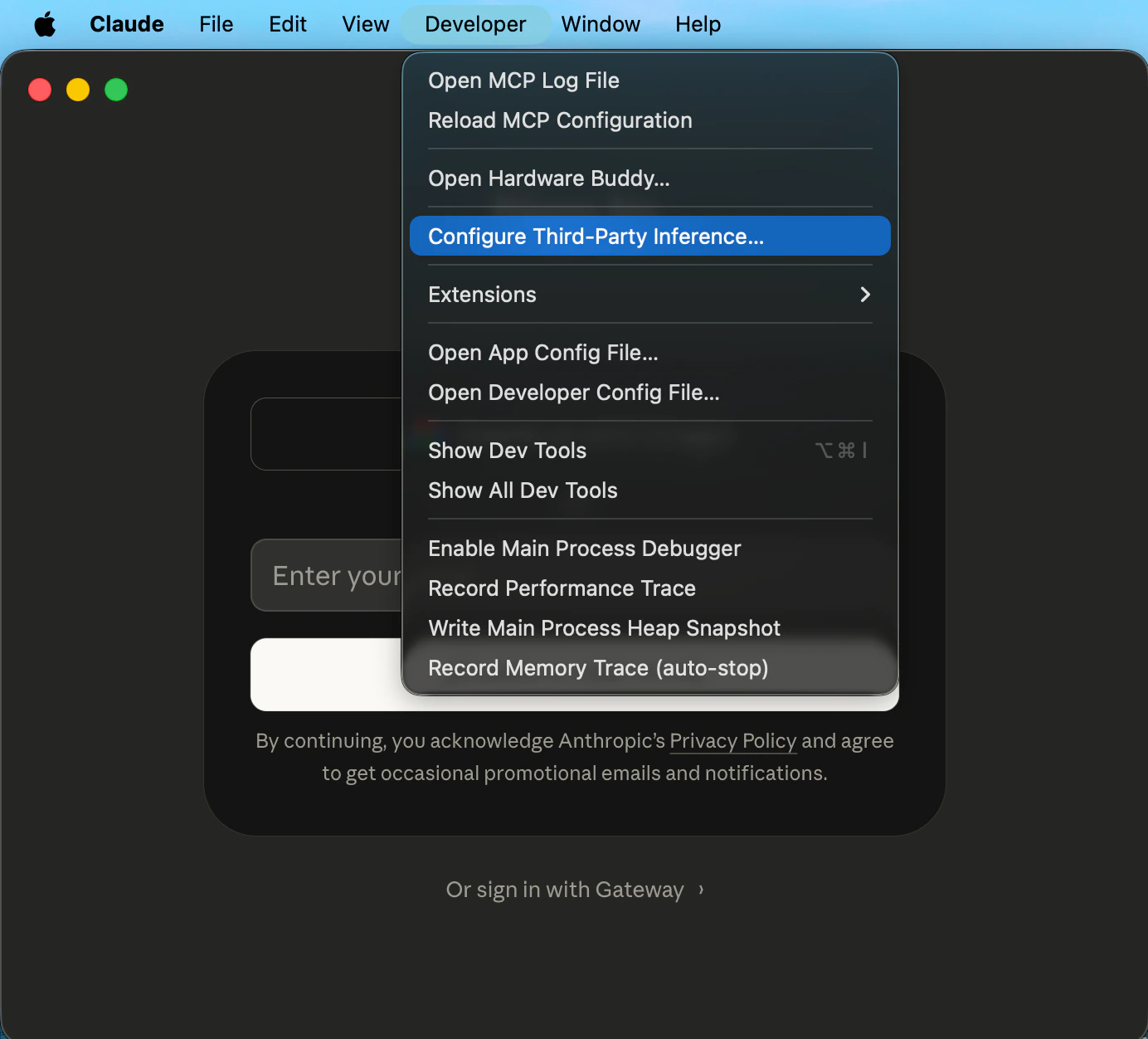
Launch Claude Desktop — you do not need to sign in to an Anthropic account. Click Developer → Configure Third-Party Inference… in the menu bar.If the Developer menu isn’t visible, open Help → Troubleshooting and click Enable Developer Mode first. The menu appears immediately.
Step 2: Enter Gateway credentials
Set the backend to Gateway (Anthropic-compatible) and enter your Consus credentials: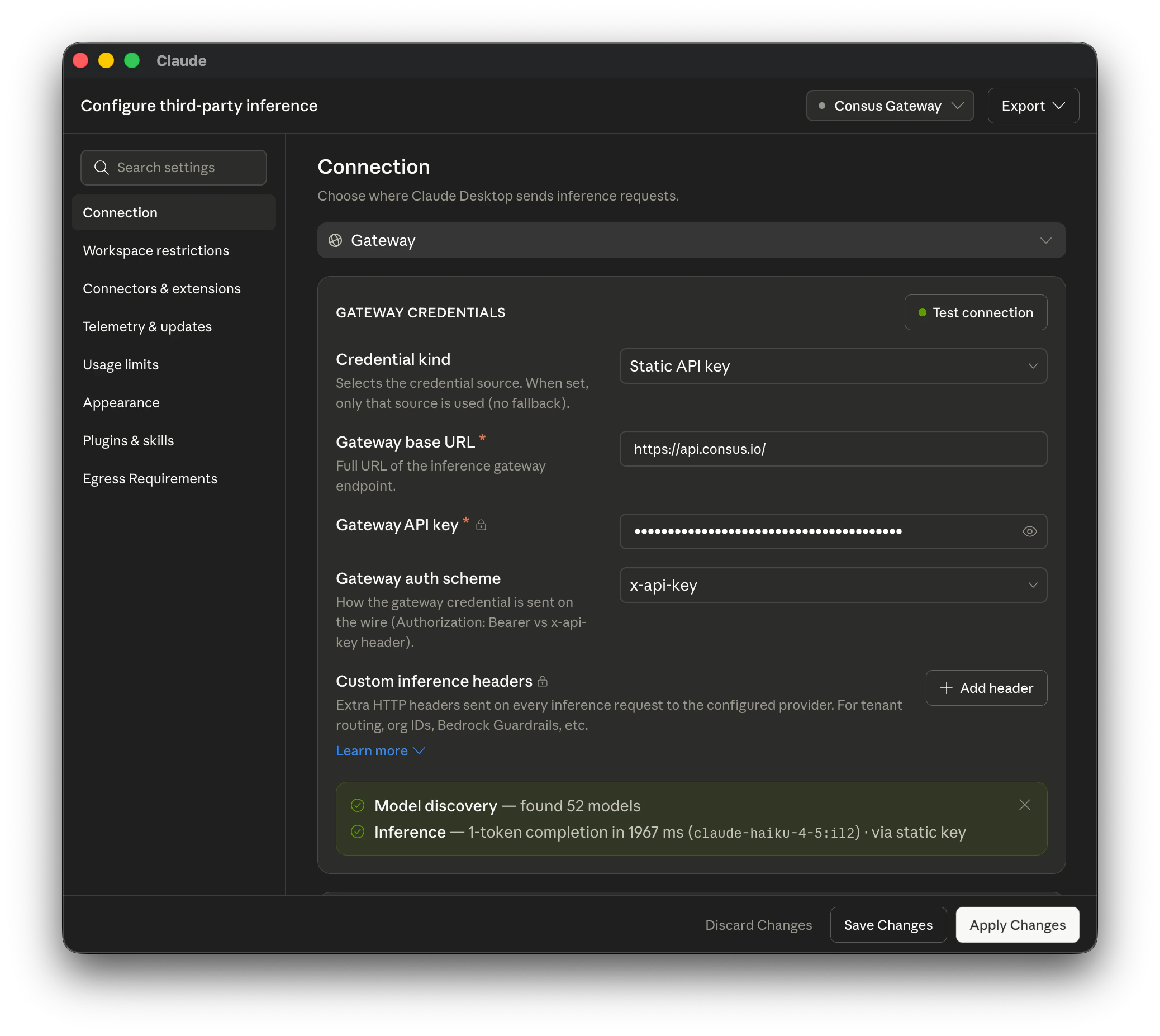
Set the auth scheme to
x-api-key, the gateway’s default header. (bearer also works: the gateway accepts the key as Authorization: Bearer.) With no valid key in either header every request returns 401 or 403.Step 3: Restart and launch
Fully quit Claude Desktop and reopen it. On the start screen, choose Continue with Gateway (shown as “Local configuration”). No Anthropic account is needed.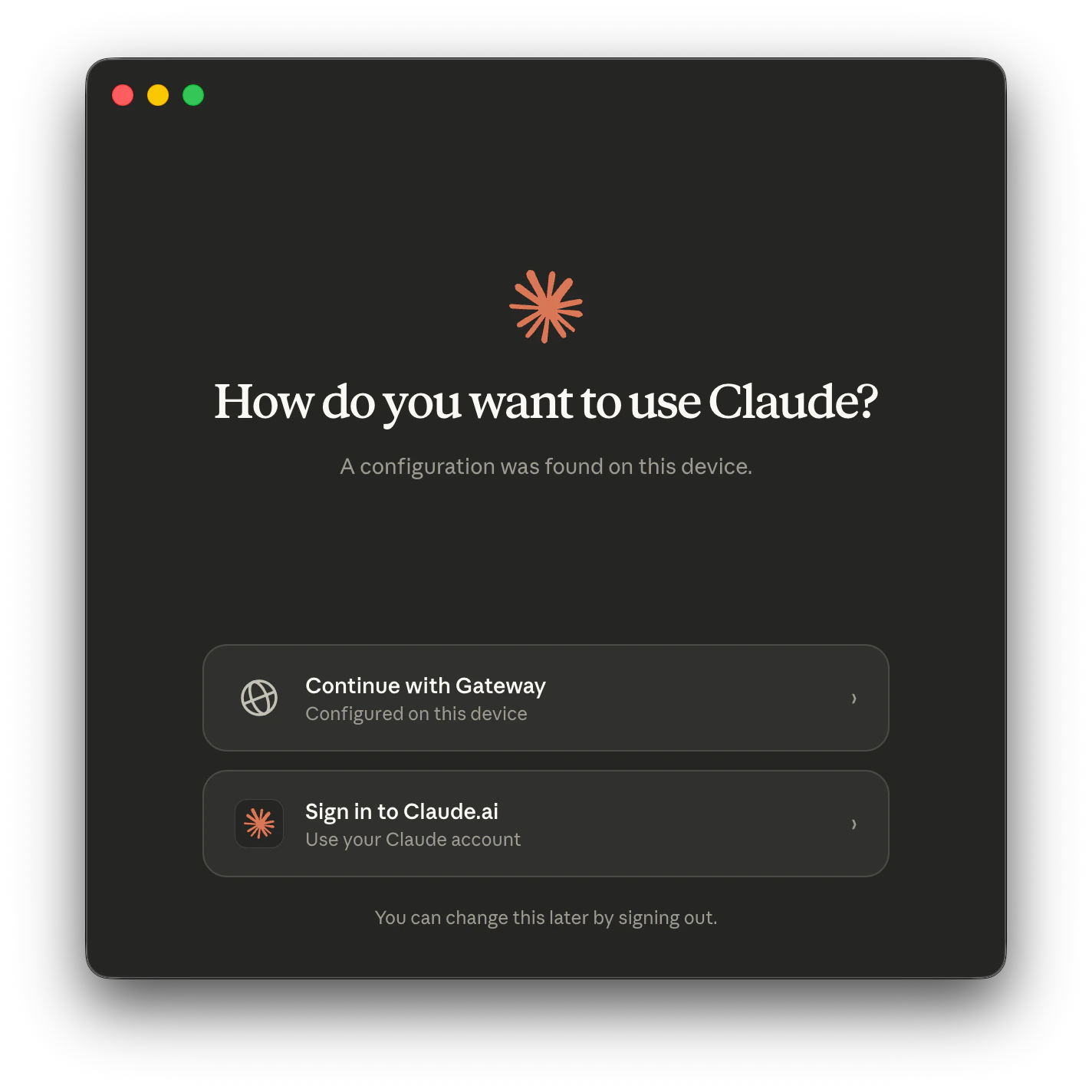
Step 4: Select a model
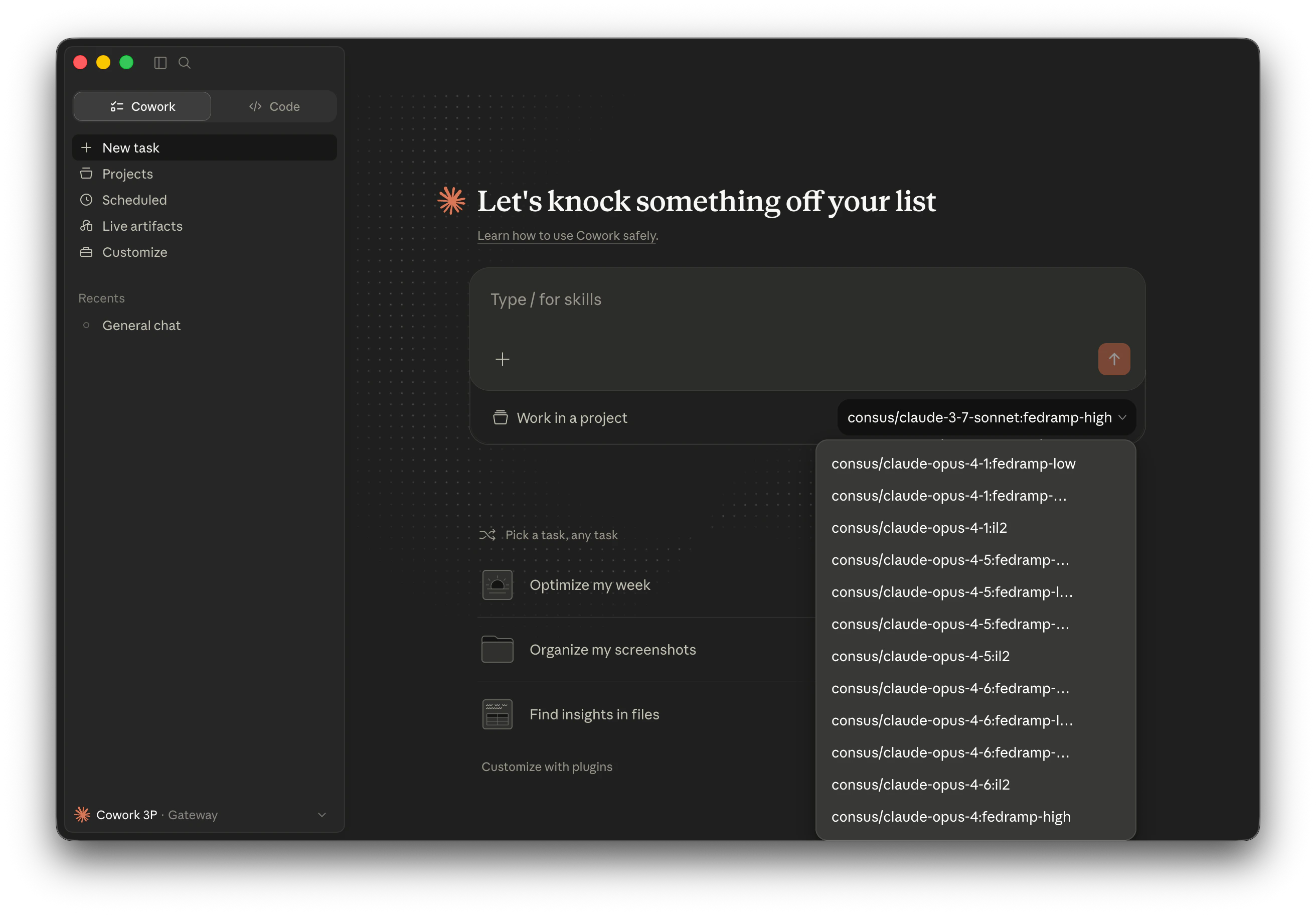
The model picker is populated fromGET https://api.consus.io/v1/models. Claude Desktop only routes to Claude models — GPT and Gemini entries returned by the gateway are filtered out by the app and will not appear in the picker. Every Claude entry is namespaced under consus/ and carries an explicit compliance suffix — for example:
consus/claude-opus-5-5:fedramp-highconsus/claude-opus-5-5:itarconsus/claude-opus-5:fedramp-highconsus/claude-opus-5:itarconsus/claude-sonnet-5-5:fedramp-highconsus/claude-sonnet-5-5:itarconsus/claude-haiku-5-5:fedramp-highconsus/claude-haiku-5-5:itarconsus/claude-sonnet-5:il5+itarconsus/claude-sonnet-4-5:il5+itarconsus/claude-opus-4-8:fedramp-highconsus/claude-haiku-4-5:il2
:il5+itar routes to an ITAR-authorized provider in AWS GovCloud Bedrock, :fedramp-high may also route to GCP Assured Workloads Vertex AI, and so on.
Need GPT-5.1 or Gemini in a desktop workflow? Use one of the other integrations — Claude Desktop is Anthropic-only by design.
What gets served
Every request from Claude Desktop is routed to the provider whose compliance ceiling matches the model ID you picked. The response headerx-consus-served-model confirms the model that served each successful request.
Streaming, native tool use, thinking blocks, and image input all pass through.
Troubleshooting
- Connection errors: confirm the Gateway base URL is exactly
https://api.consus.io/, your API key is valid, and the auth scheme isx-api-key(the default;beareris also accepted). - No models appearing: verify the catalog is reachable from your machine with
curl -H "x-api-key: $CONSUS_API_KEY" https://api.consus.io/v1/models. If that returns the catalog but the picker is empty, restart Claude Desktop fully (quit and reopen). - “Continue with Gateway” not showing: make sure you clicked Apply locally in the configuration panel and fully quit Claude Desktop (not just closed the window) before reopening.
- “Access to this website is blocked by your network egress settings” when using WebFetch: Cowork sandboxes tool traffic by default. Open Developer → Configure Third-Party Inference… → Sandbox & workspace and add the required hosts to Allowed egress hosts. The Consus Gateway endpoint is implicitly allowlisted.